Create your ServiceM8 API key
Follow these steps to connect ServiceM8 to DocketBridge. It takes about two minutes.
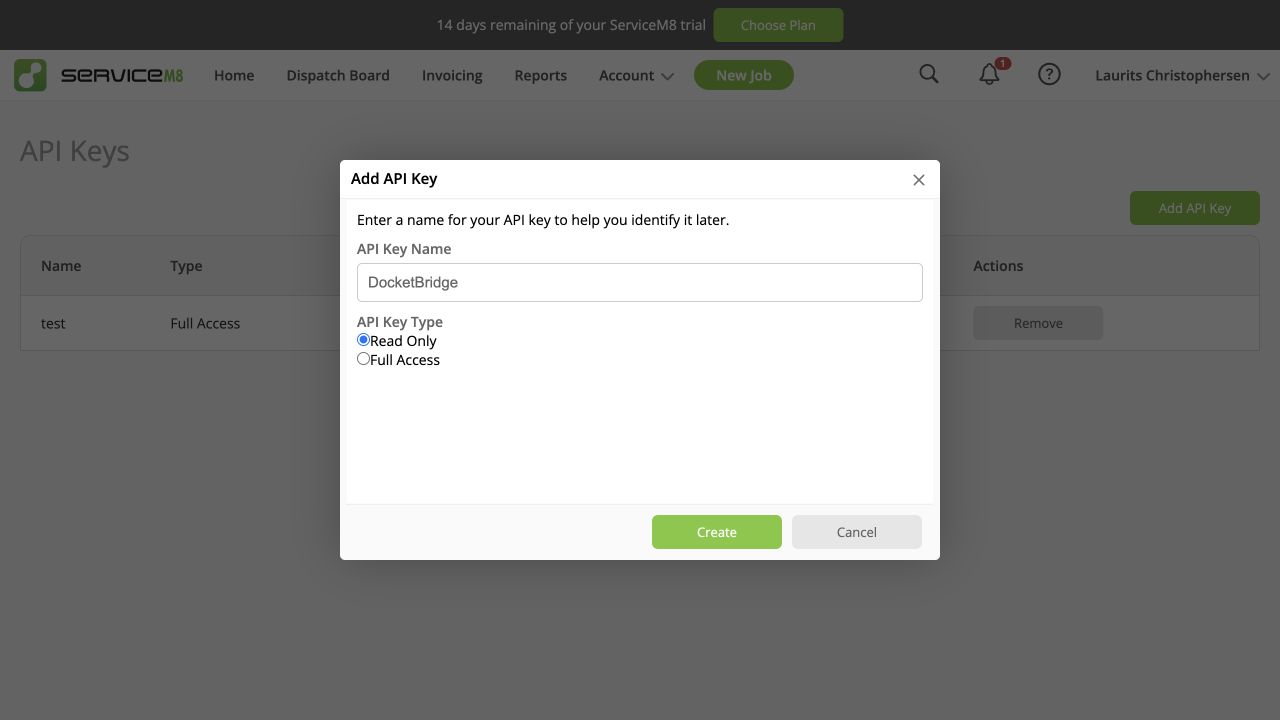
Choose Read Only. DocketBridge only reads jobs, clients, forms and attachments from ServiceM8. It does not create or change anything in ServiceM8, so Full Access is not needed.
ServiceM8 also recommends Read Only for connections that only read data. Read ServiceM8's permission guidance.
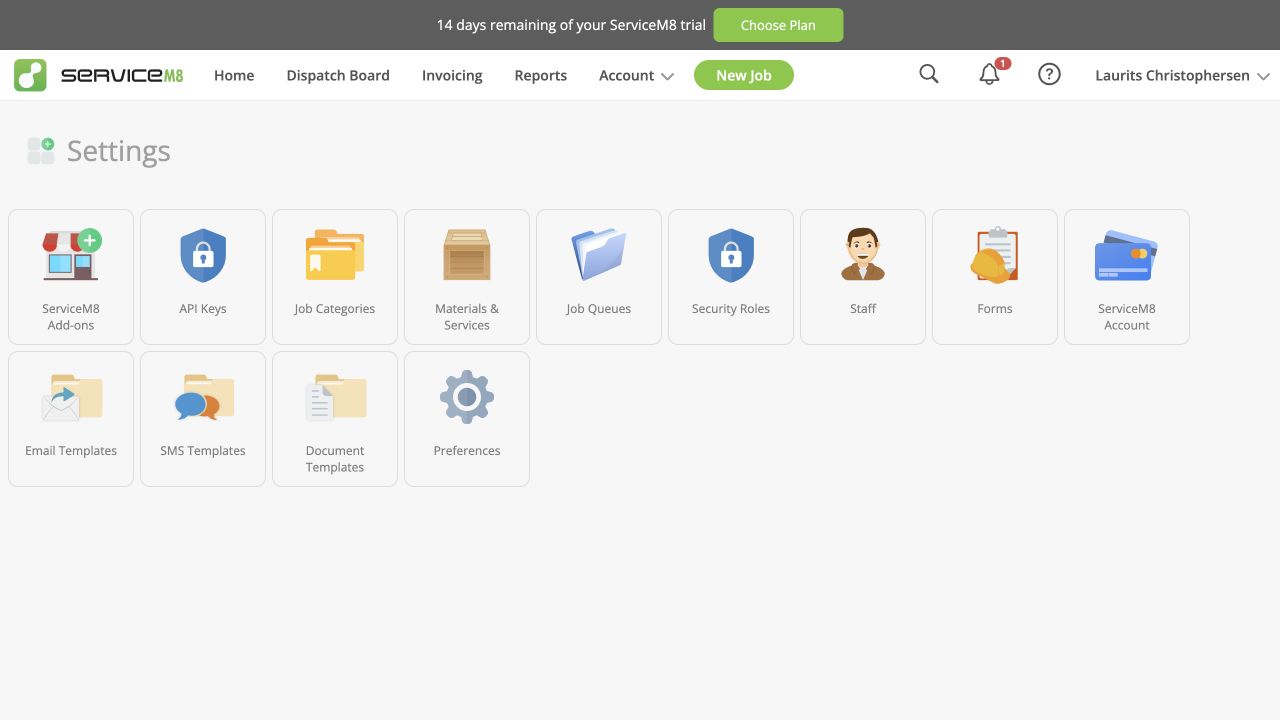
Open Settings
Sign in to ServiceM8, open the Account menu, then select Settings.
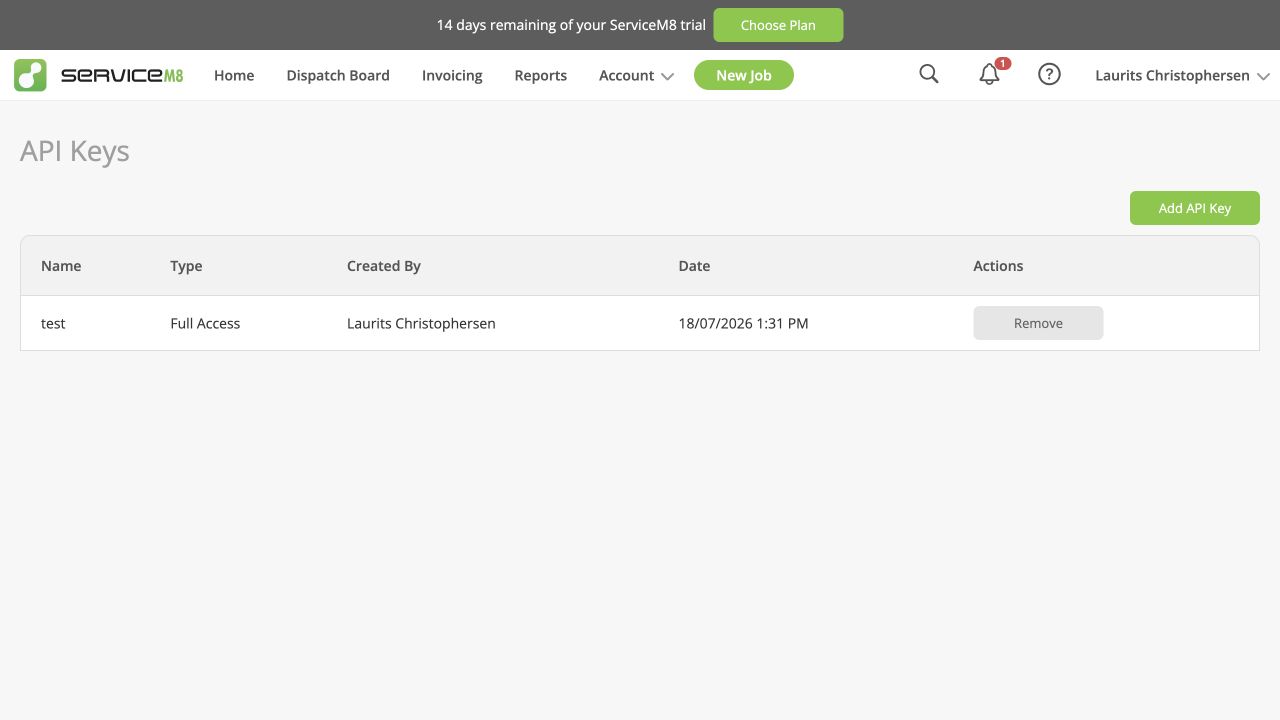
Open API Keys
Select API Keys, then select the green Add API Key button.
Create a read-only key
Enter DocketBridge as the name, choose Read Only, then select Create.
Copy and save the key
Copy the new key when ServiceM8 shows it. Return to DocketBridge, paste it into the ServiceM8 read-only API key box, then select Save ServiceM8 key.
Keep it private: treat the key like a password. Do not email or share it. If it is exposed, remove it in ServiceM8 and create a replacement.